
Home / Store Stories
STORE STORY
How a cha chaan Teng moved into the system
Our sample is the demo store, Pizza King Mong Kok — from a single photo of a paper menu to QR ordering, ticket routing and pickup numbers running end to end. The launch you are about to go through is exactly these six steps.
DAY 1 · Morning
One menu photo, imported by AI in ten minutes
- Six menu categories (combos, noodles, rice, drinks, snacks, siu mei) recognized automatically into a structured list
- Prep options generated on the spot for drinks — ice level, sweetness, milk — with "no ice", "less sweet" and "coffee, no milk" all in place
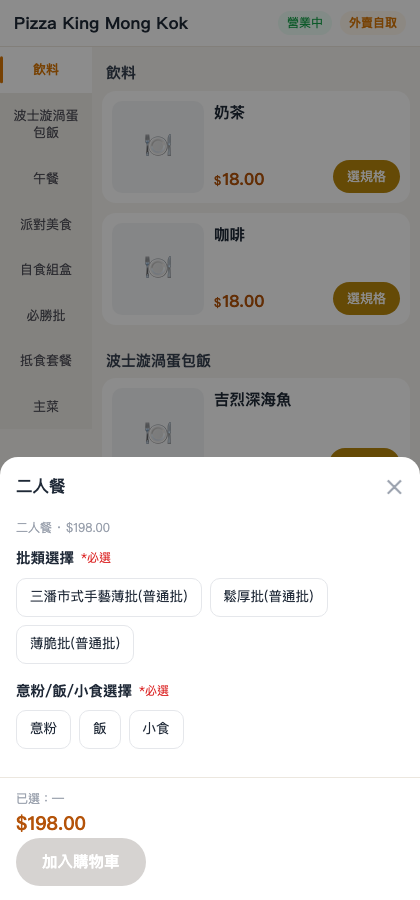
- The two-person afternoon tea combo built itself, with mix-and-match groups so mains and drinks pair across categories
DAY 1 · Afternoon
Store settings: tea charge, service charge, printers
- Tea charge at $5 per head and a 10% service charge, handled by two switches in the admin console
- The cloud receipt printer connected and bound over the network: the main ticket to the counter, dishes routed by station
- Dual table QR codes generated automatically — mini-program code plus web code — printed and stuck on every table
DAY 2
Takeaway turned on: separate pickup prices and pickup numbers
- Takeaway pricing set independently, with the higher-than-dine-in price struck through for comparison
- Pickup numbers assigned automatically at checkout, printed in large type by the label printer for lunch boxes
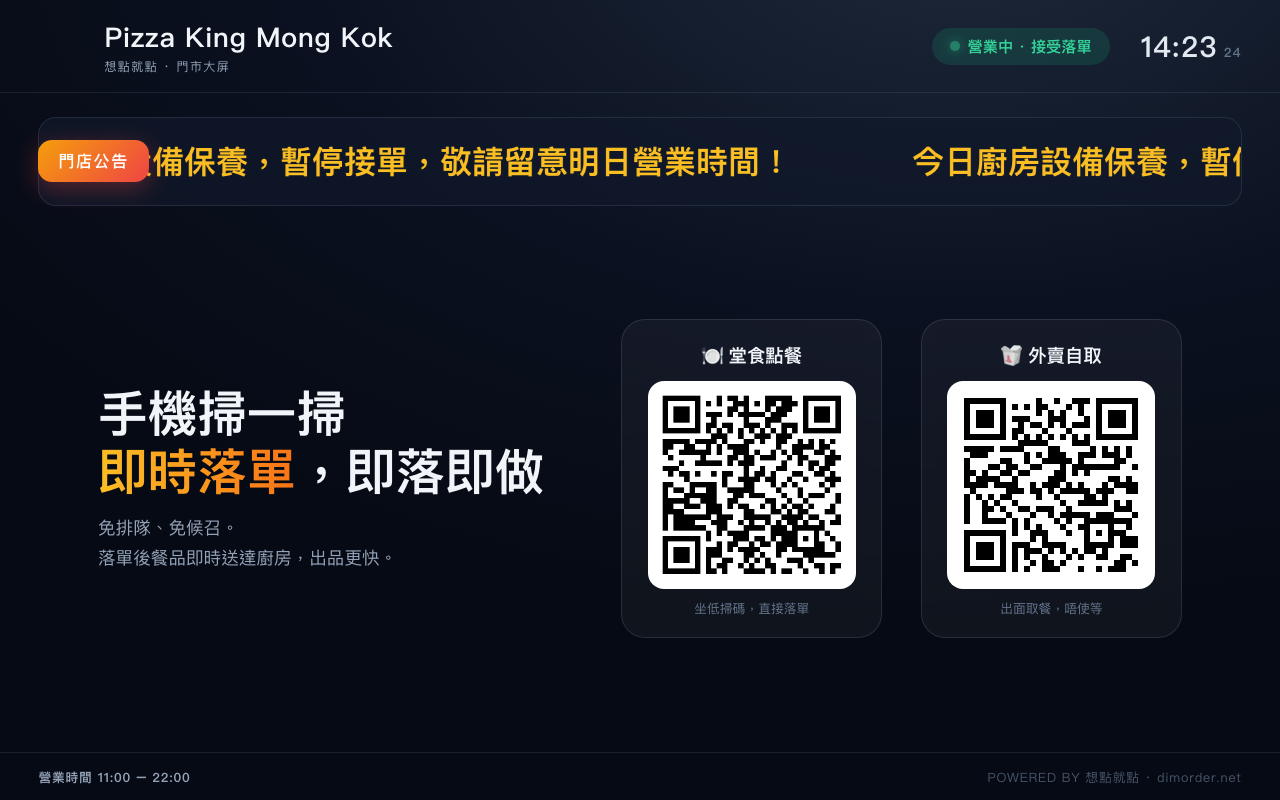
- The in-store TV switched to the big screen: pickup progress plus promotional loops, playing on rotation
DAY 3
The kitchen runs lunch service: KDS and printers side by side
- Siu mei bound to the label printer, noodles to the kitchen printer — every order splits by station on arrival, no more sorting paper tickets by hand
- The KDS scrolls two columns, In Progress and Ready for Pickup, updating the moment a dish goes out
- Voided tickets go to the recycle bin and stock is credited back automatically
WEEK 1
Self-service on, staff still typing: both order channels counted
- The floor keys orders in on the POS while guests scan and order themselves — both channels land in the same reports
- Reports show the self-service channel share, hour-by-hour distribution, bestsellers and the payment mix
- Daily AI business insights hand the manager a short read-out on the POS sales page
NOW
The demo store is open to the public
- This outlet doubles as our demo store: anyone can scan a QR code and try placing an order
- Want to test with your own menu instead? We will set up a store for you, free of charge
Shall the next story carry your name?
Book a demo and we'll build a store of your own from your menu.
Request a store setup